
WEBPAGE TRANSLATIONS
To navigate this website or the CPR training in languages other than English, we recommend Google Chrome Browser with its built-in translation function
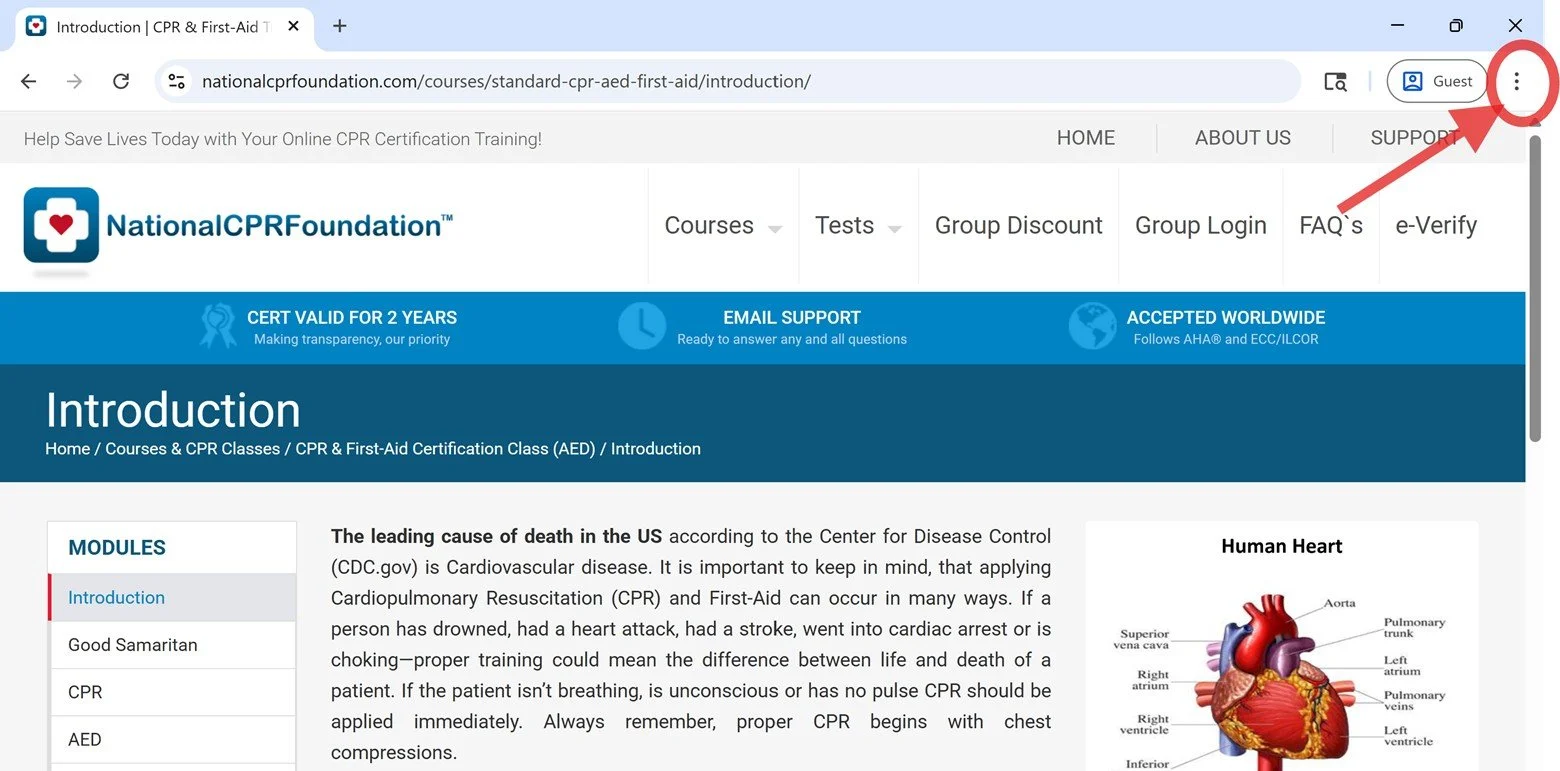
Step 1: Click the 3 dots on the upper-right corner of the browser:
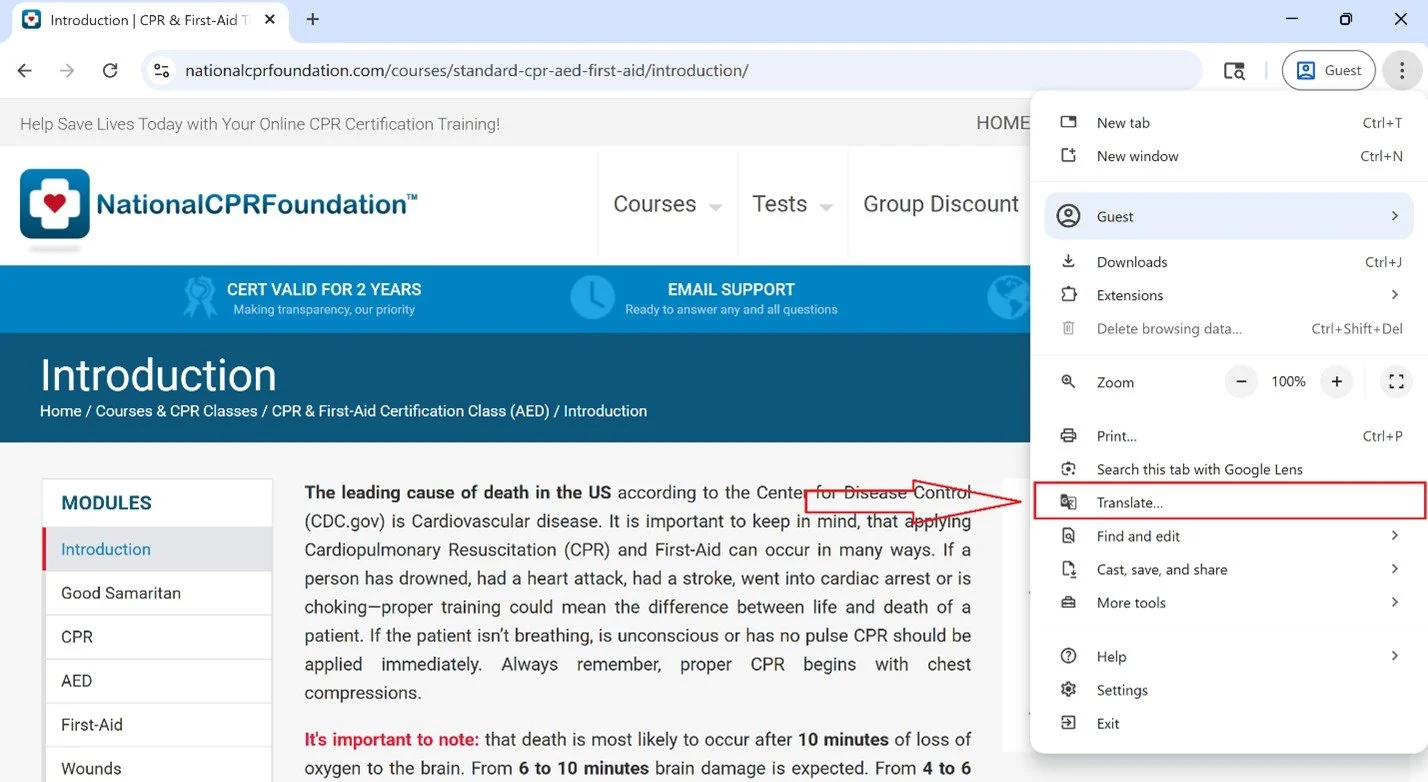
Step 2: In the menu, select “Translate…”
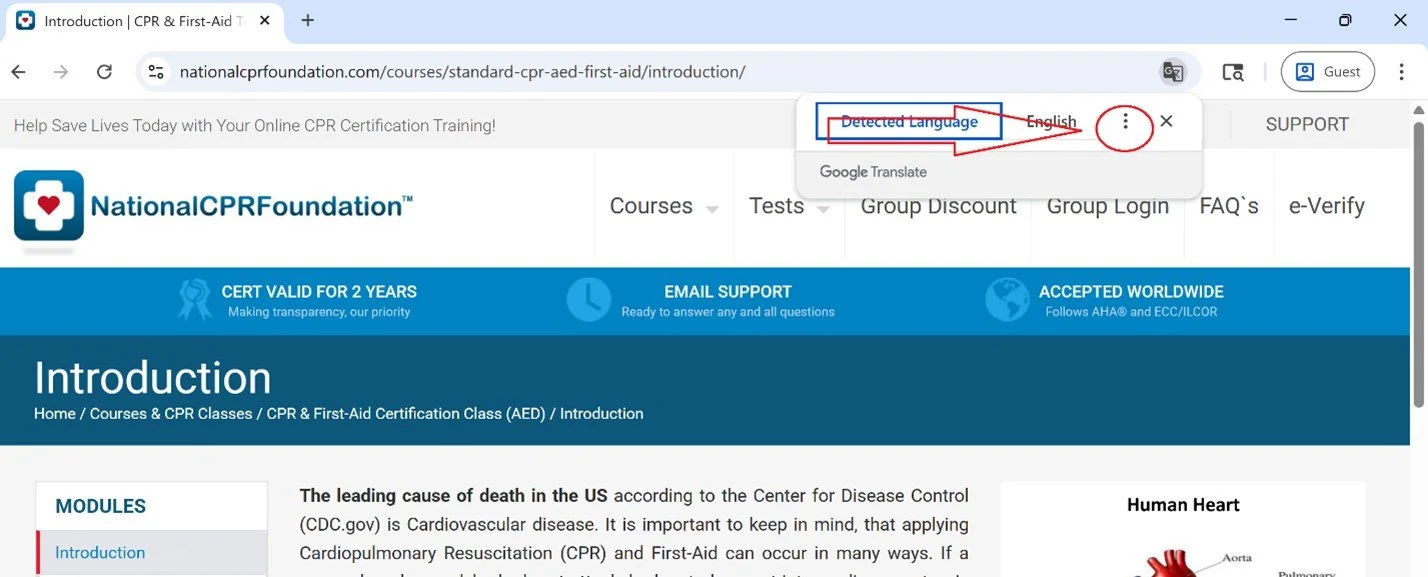
Step 3: Select the 3 dots in the translation submenu that appears at the top and then select “choose another language”:
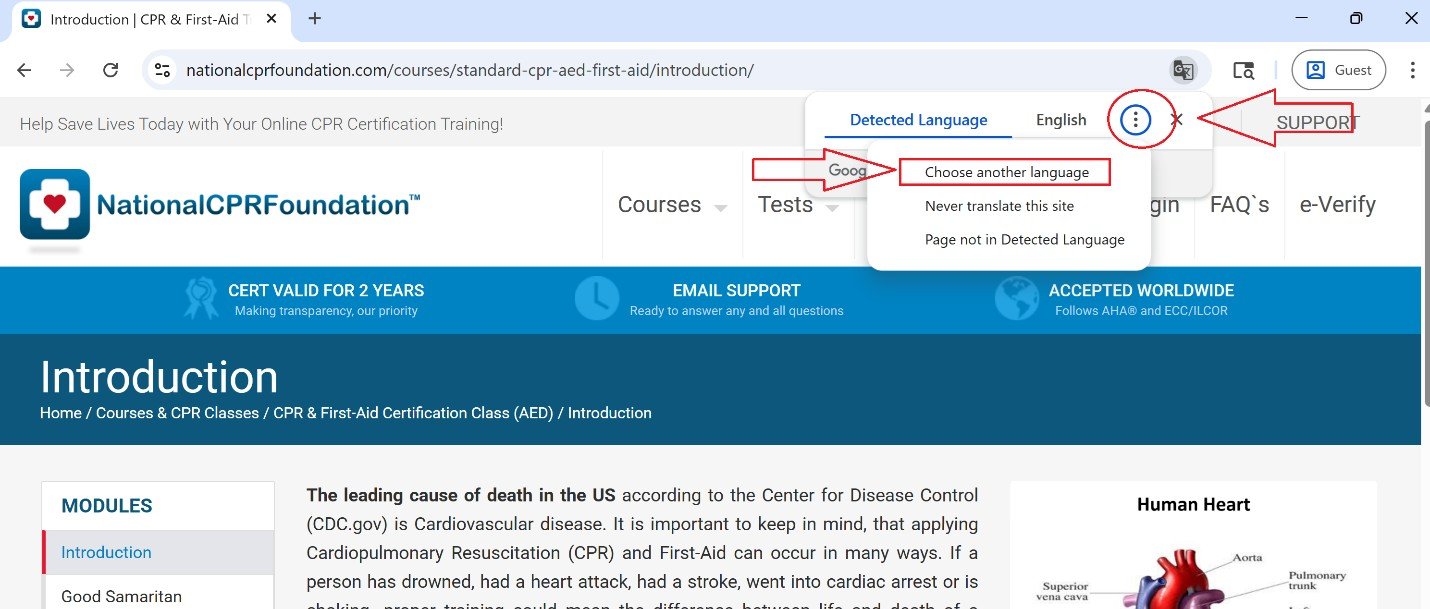
Step 4: In the submenu that appears, select “choose another language”:
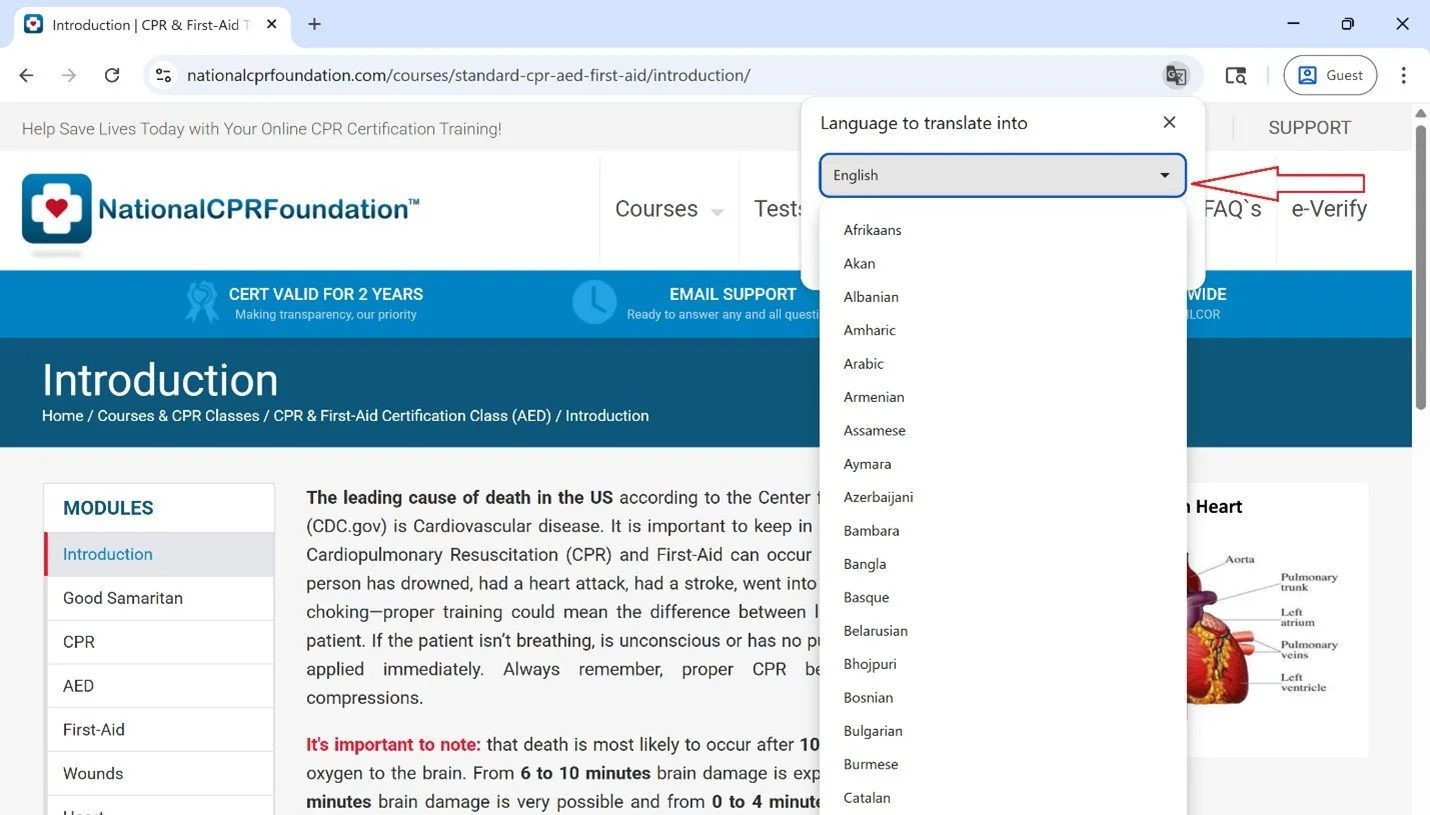
Step 5: In the dropdown menu, select your language:
Repeat these steps for every page as needed, including the exam at the end of the course.
*Remember to change your language back if needed.