INSTRUCTIONS FOR LIVESCAN
Step 1: Go to www.applicantservices.com/ADALEY
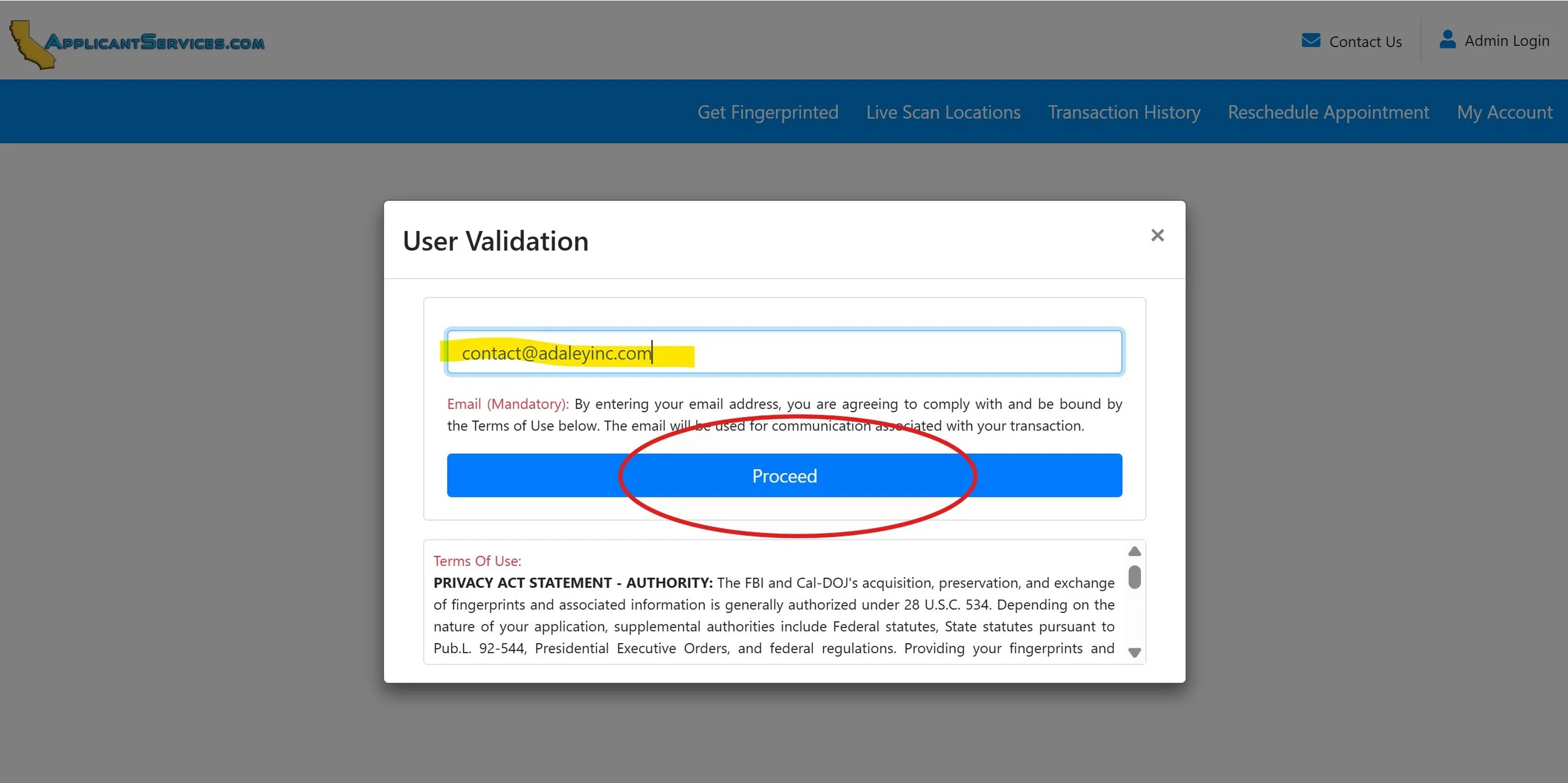
Step 2: Enter your email address (yellow) and click on the blue proceed button (red circle)
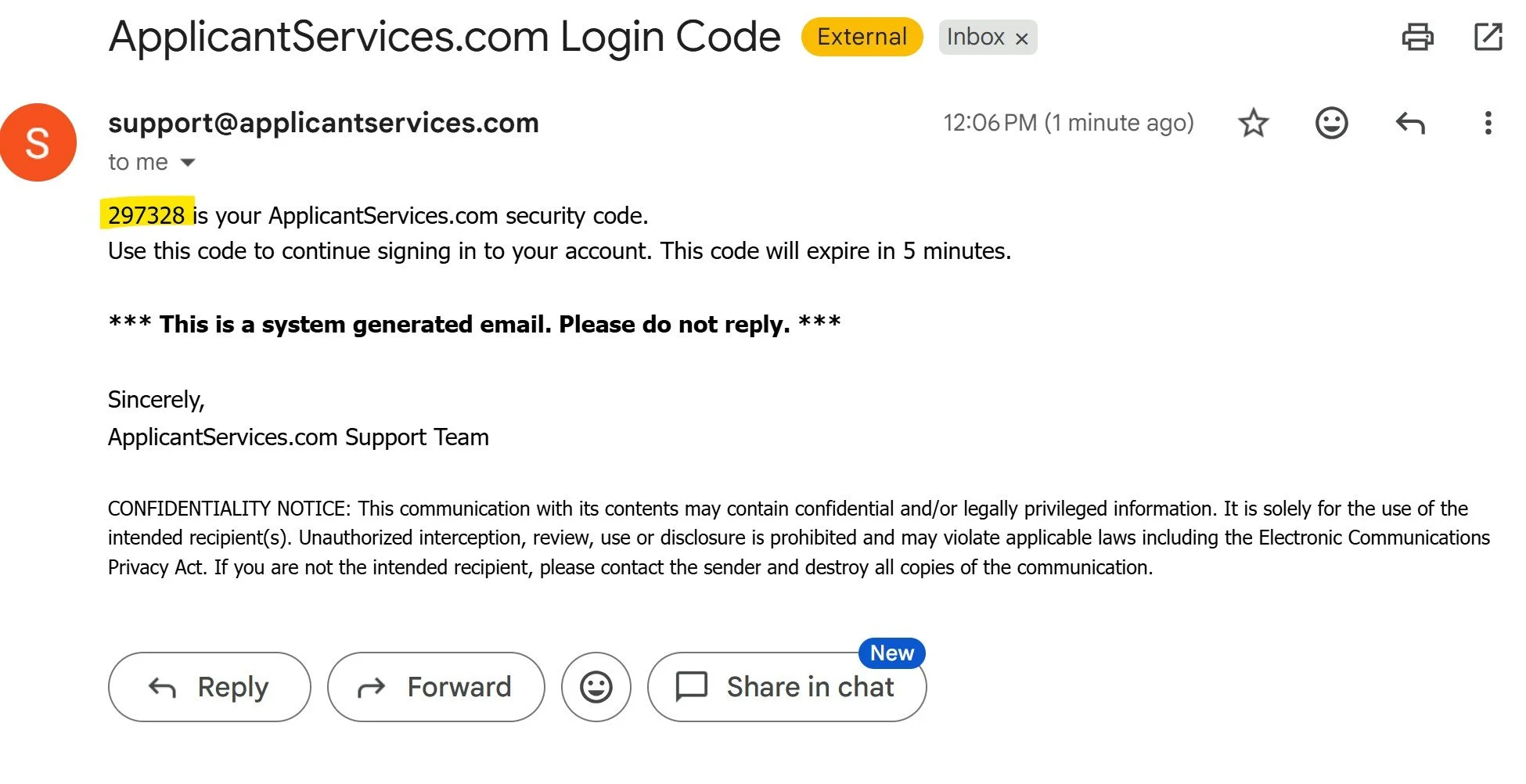
Step 3: You will receive an email from “support@applicantservices.com” containing your security code
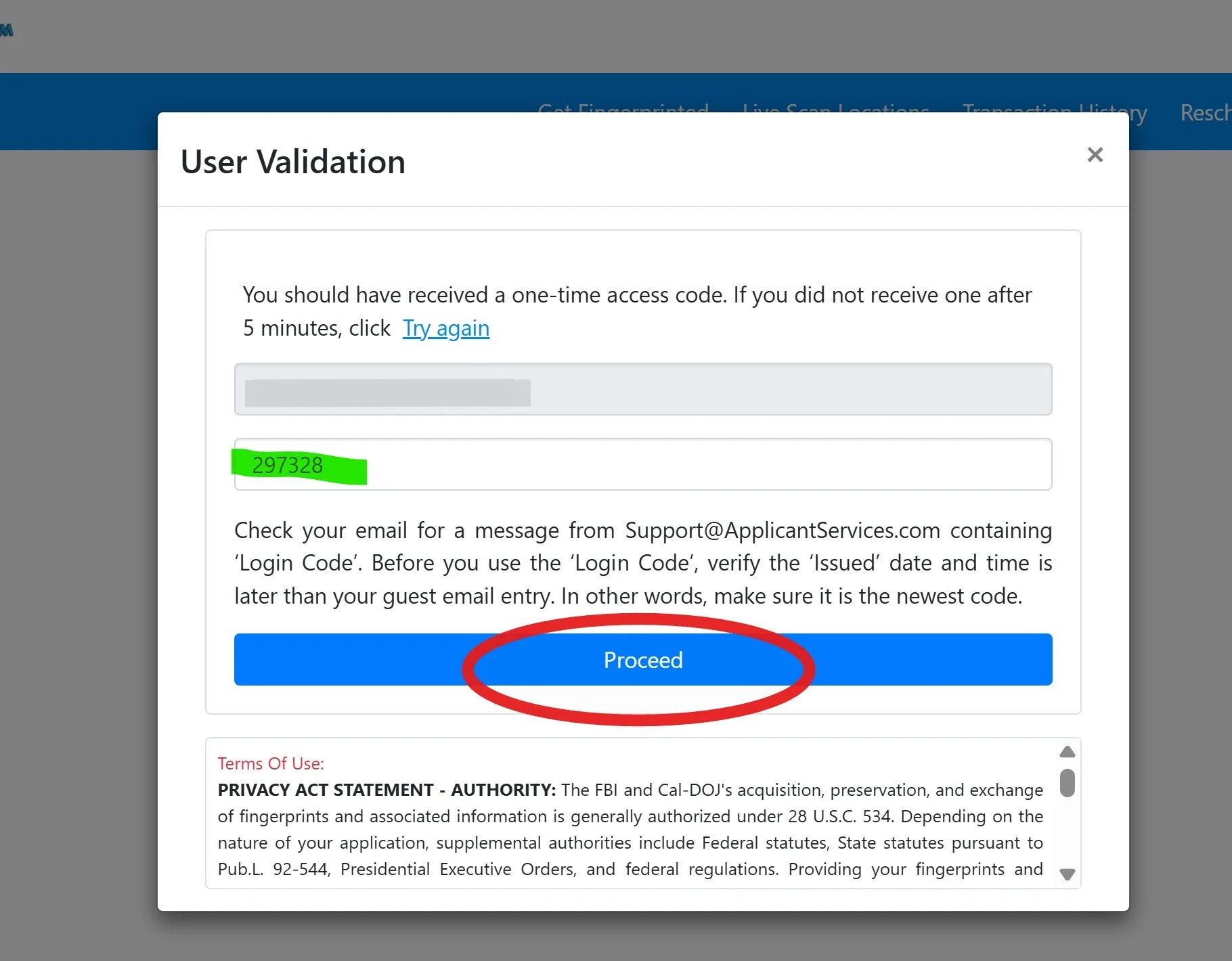
Step 4: Enter your security code into the website (green) and click the blue “proceed” button:
*Note: The code expires after 5 minutes, so you will need to re-enter your email address to generate a new code if more than 5 minutes has expired.
Step 5: Fill in the required information in STEP 2 (Applicant Information of the form STEP 1 Transaction will already be completed, just click the blue “next”):
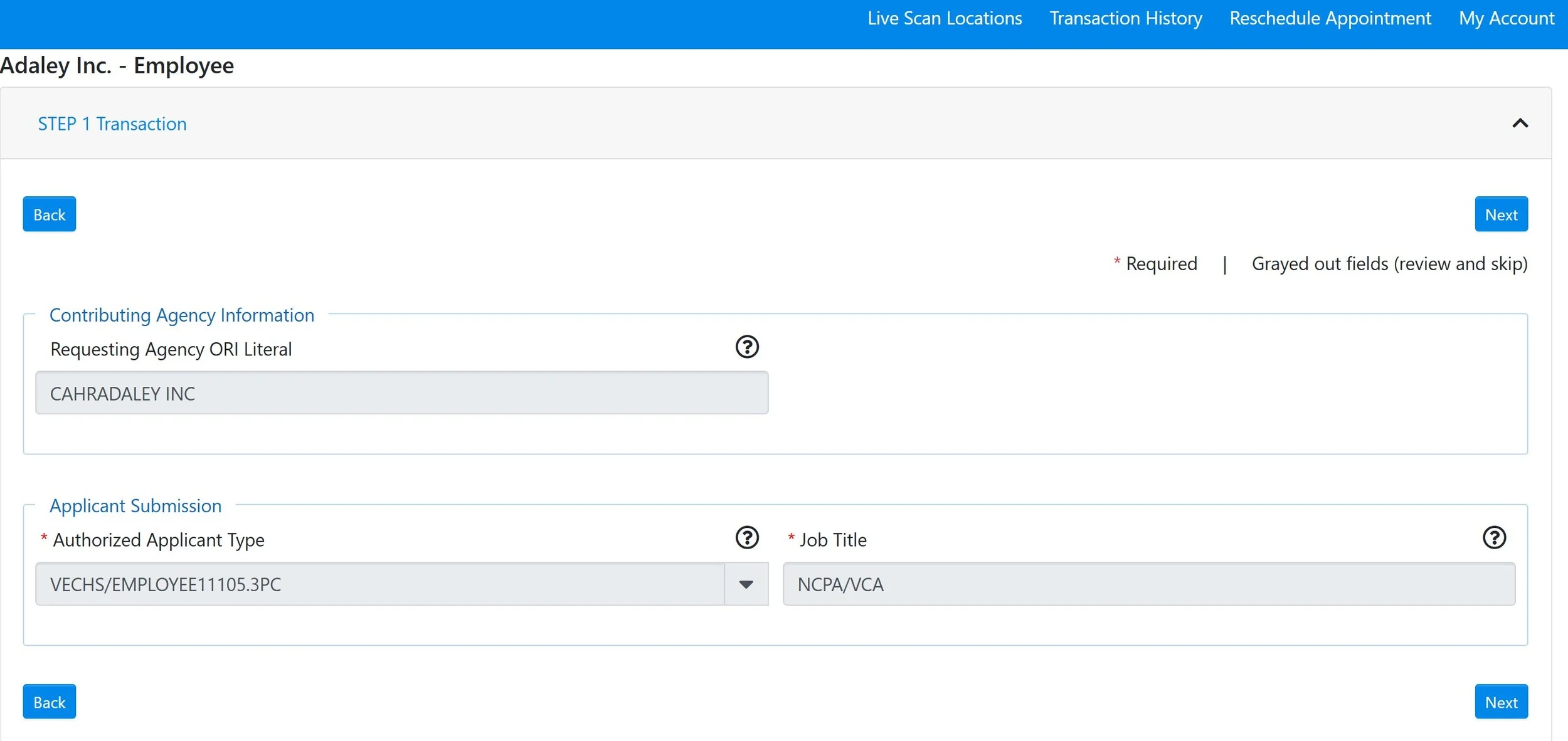
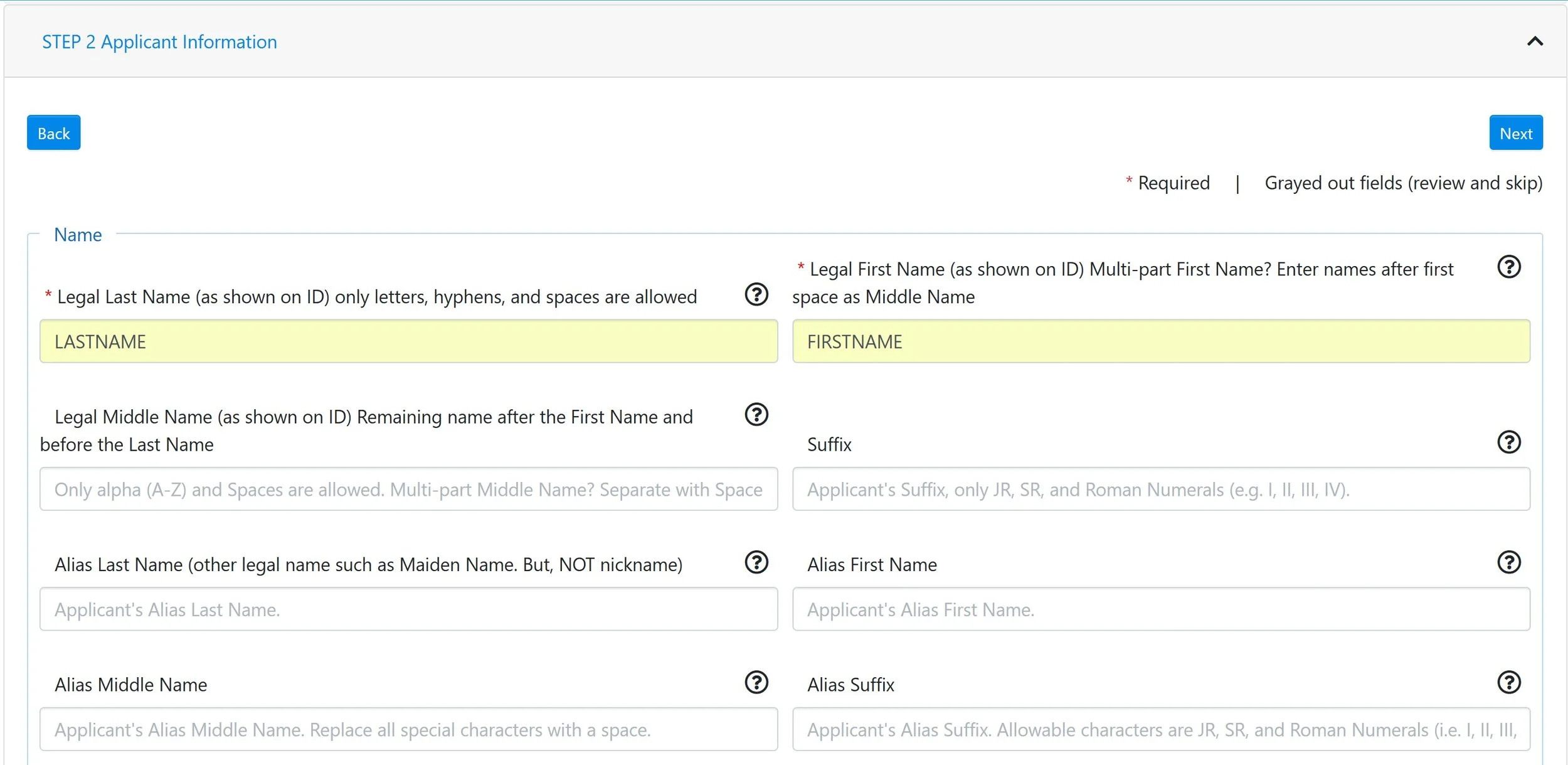
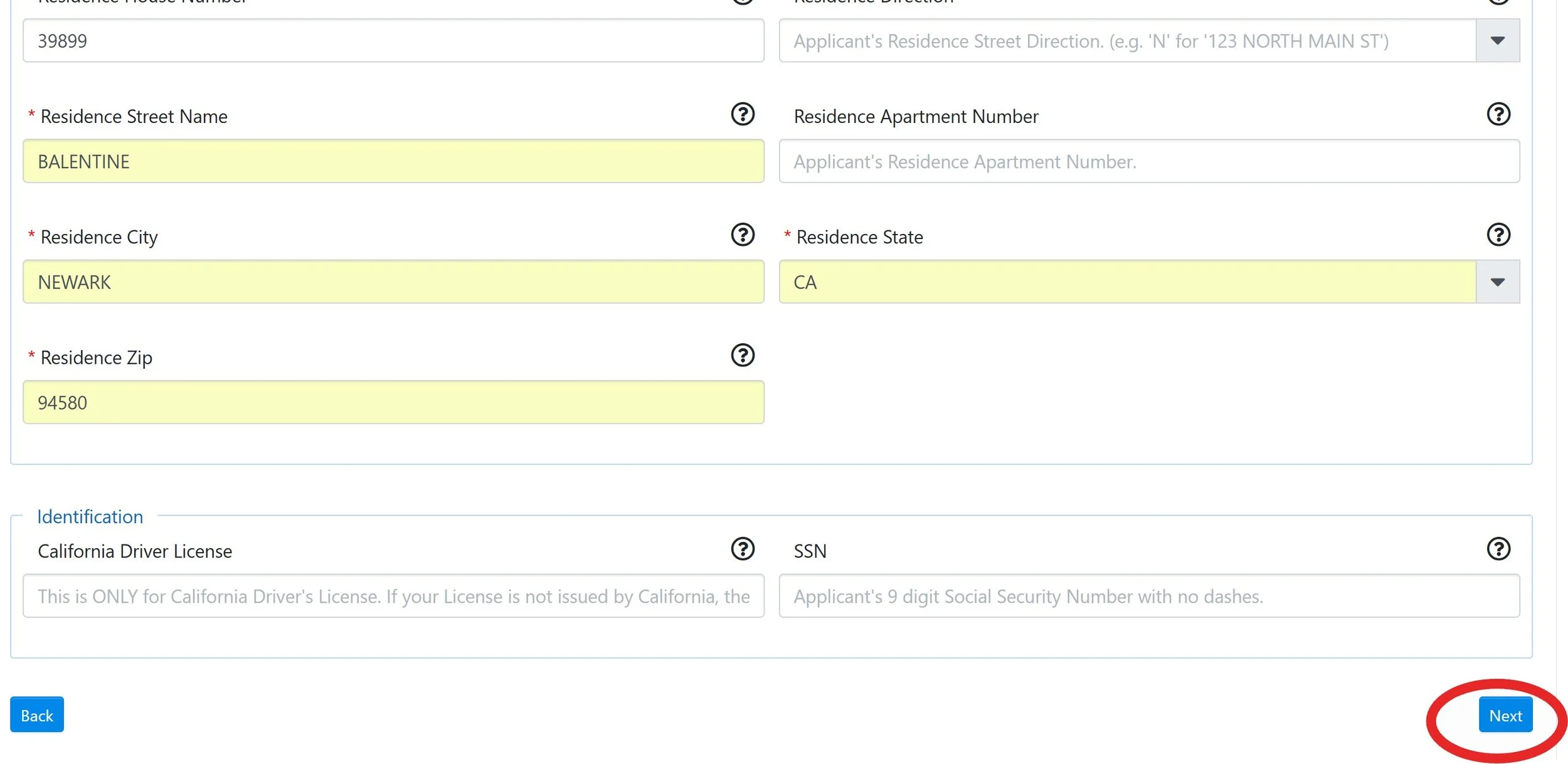
Step 6: After completing STEP 2, click the blue "proceed” button at the bottom right corner (red circle)
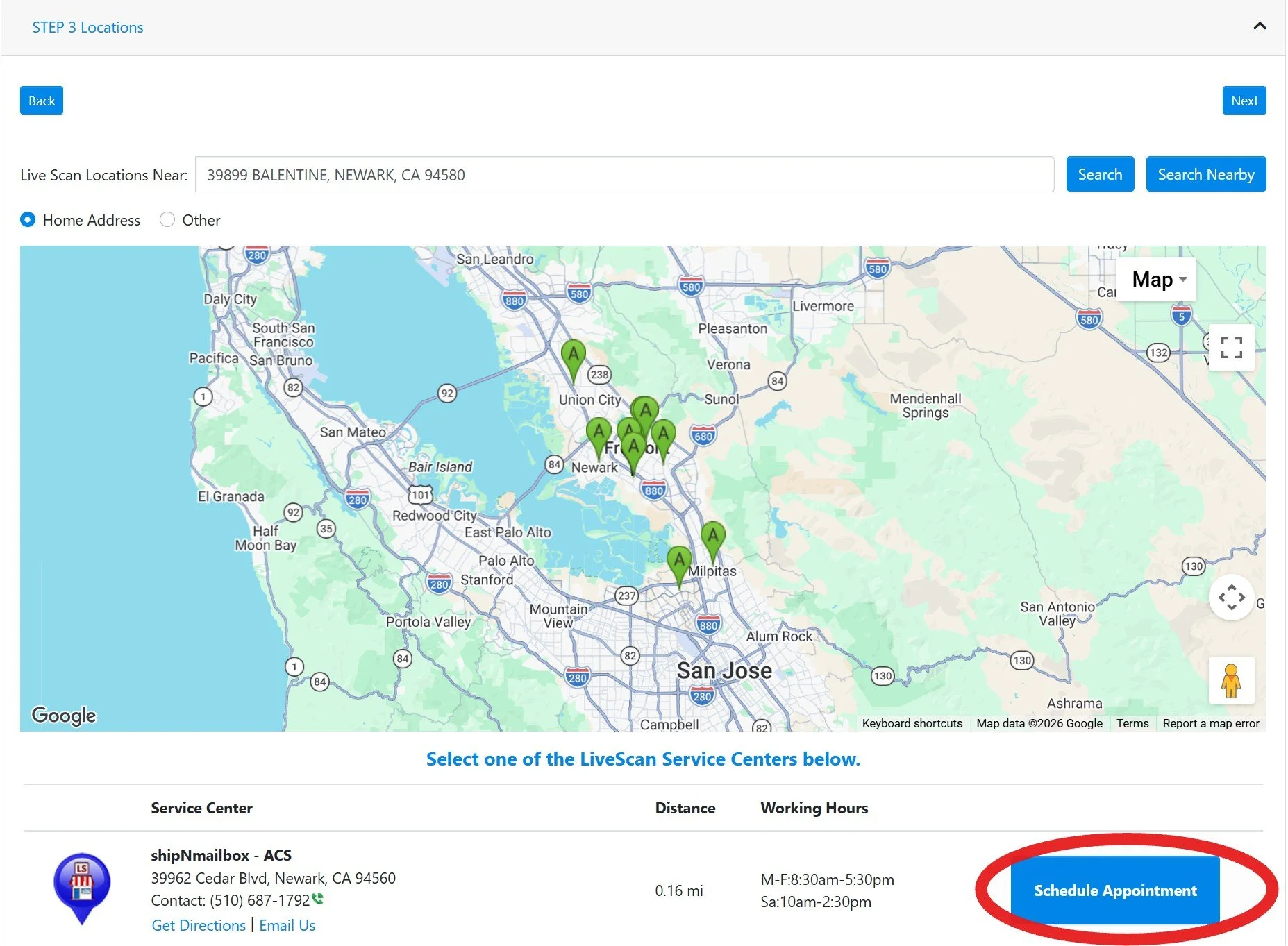
Step 7: In the STEP 3 Locations, you will see a map of LiveScan Service Centers near your address. Select one Service Center and click the blue “Schedule Appointment” Button (red circle)
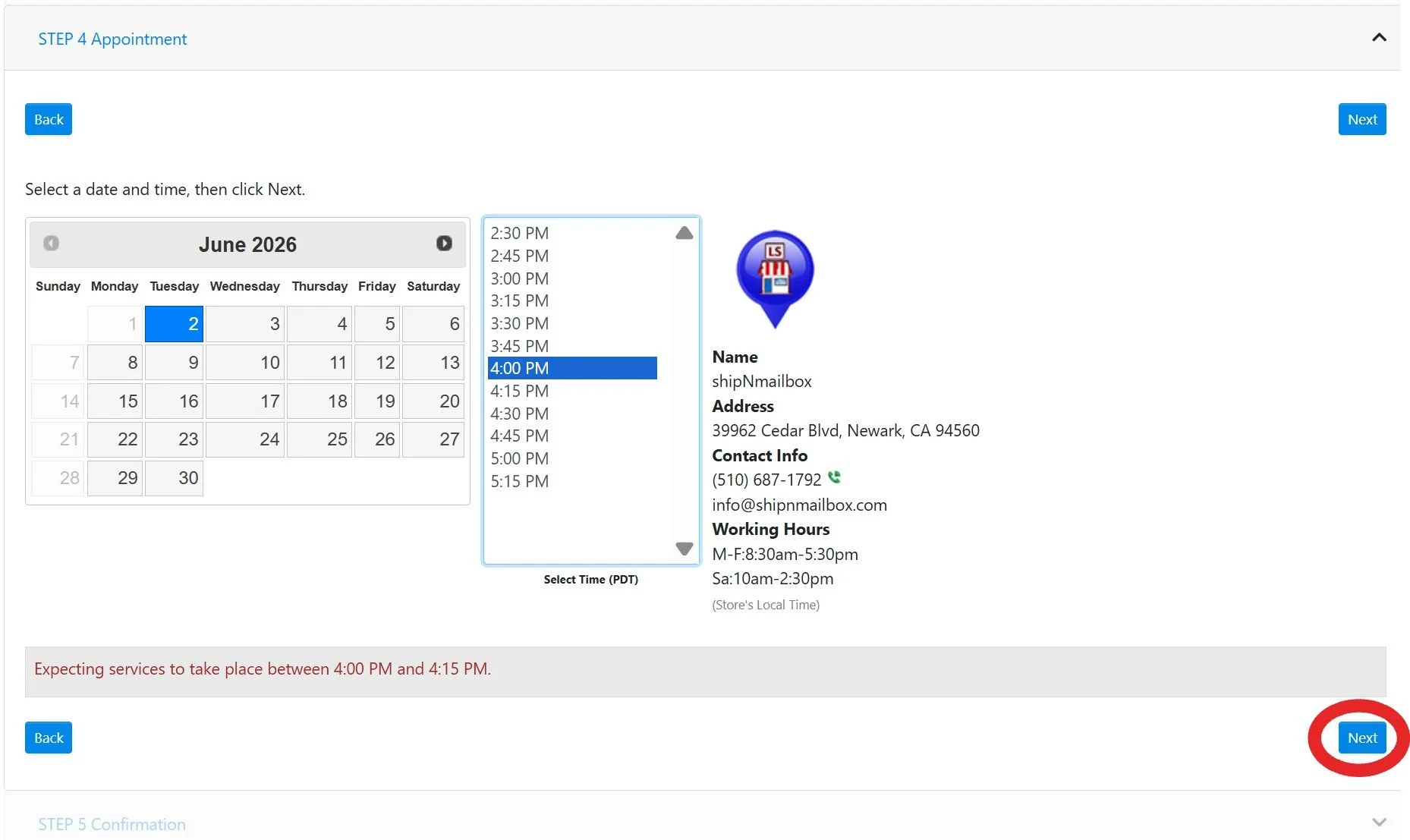
Step 8: Select a date and time for your fingerprinting and then click the blue “next” button (red circle)
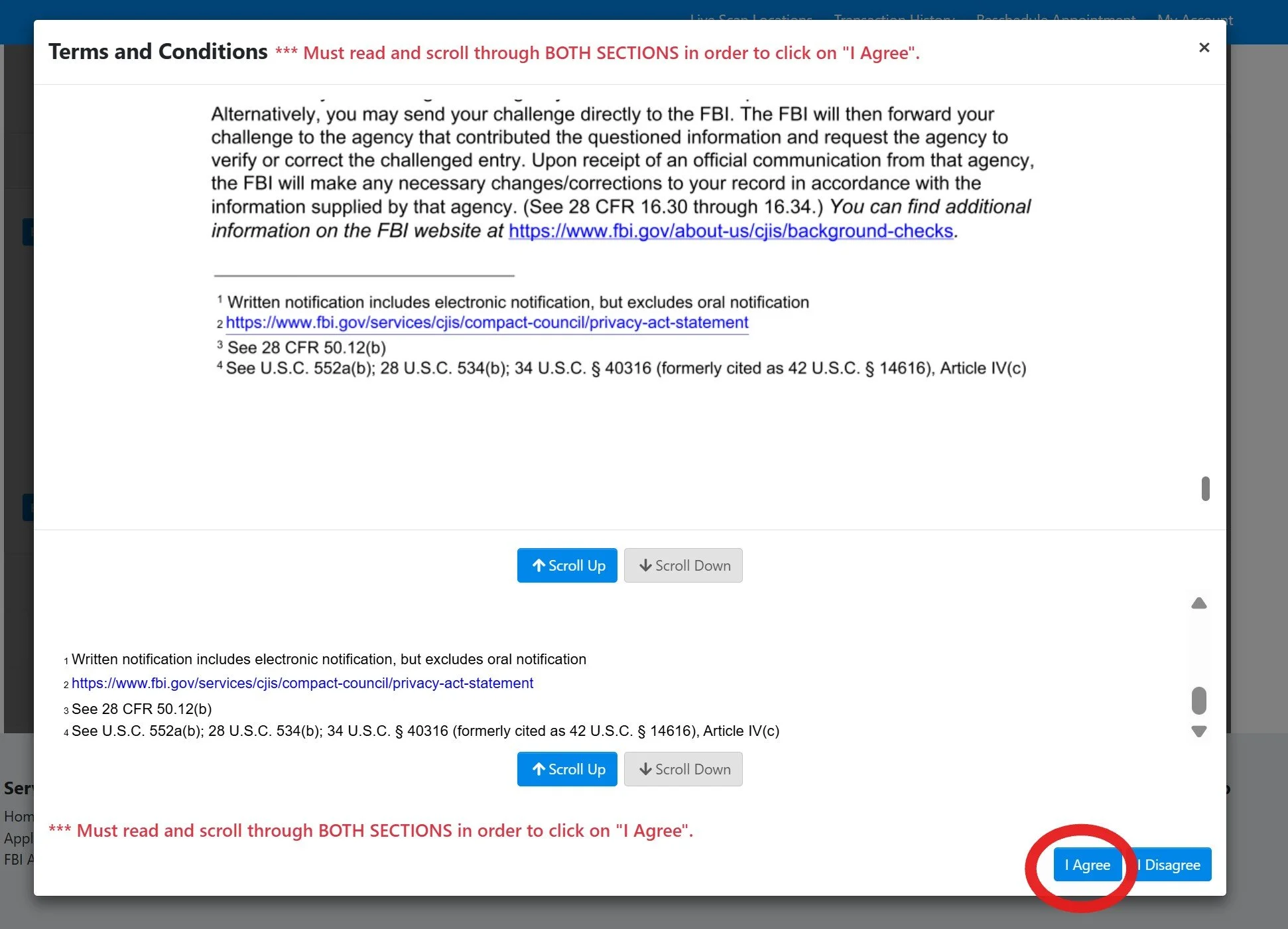
Step 9: Review the form with your information, read through the terms and conditions and select the blue “I agree” button at the bottom (red circle)
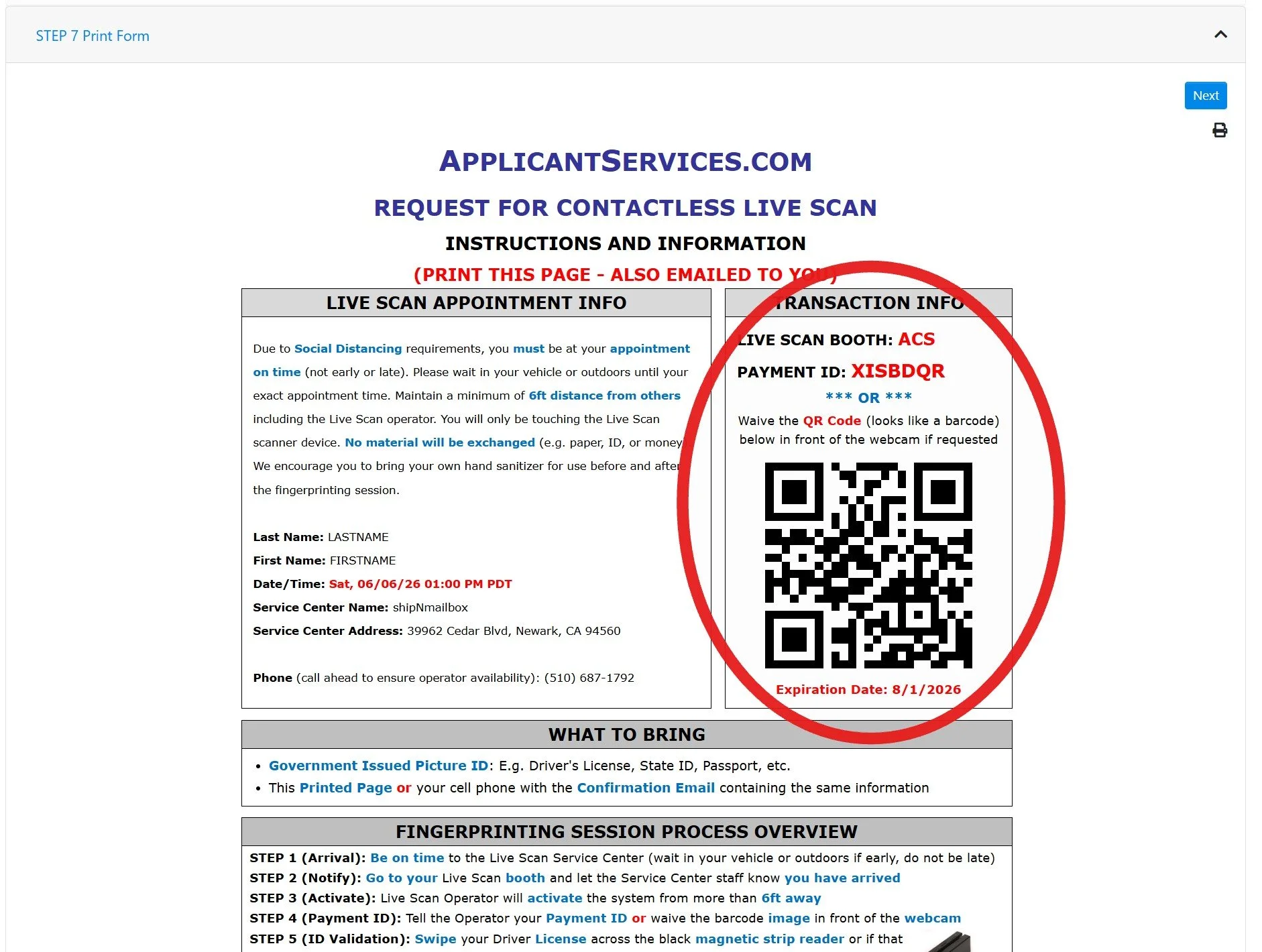
Step 10: You will receive an instructions and information page on the website and a copy will be sent to your email as well. You do NOT need to print this page; instead you can show this QR code (or the one in your email) your LiveScan operator during your appointment from your phone.
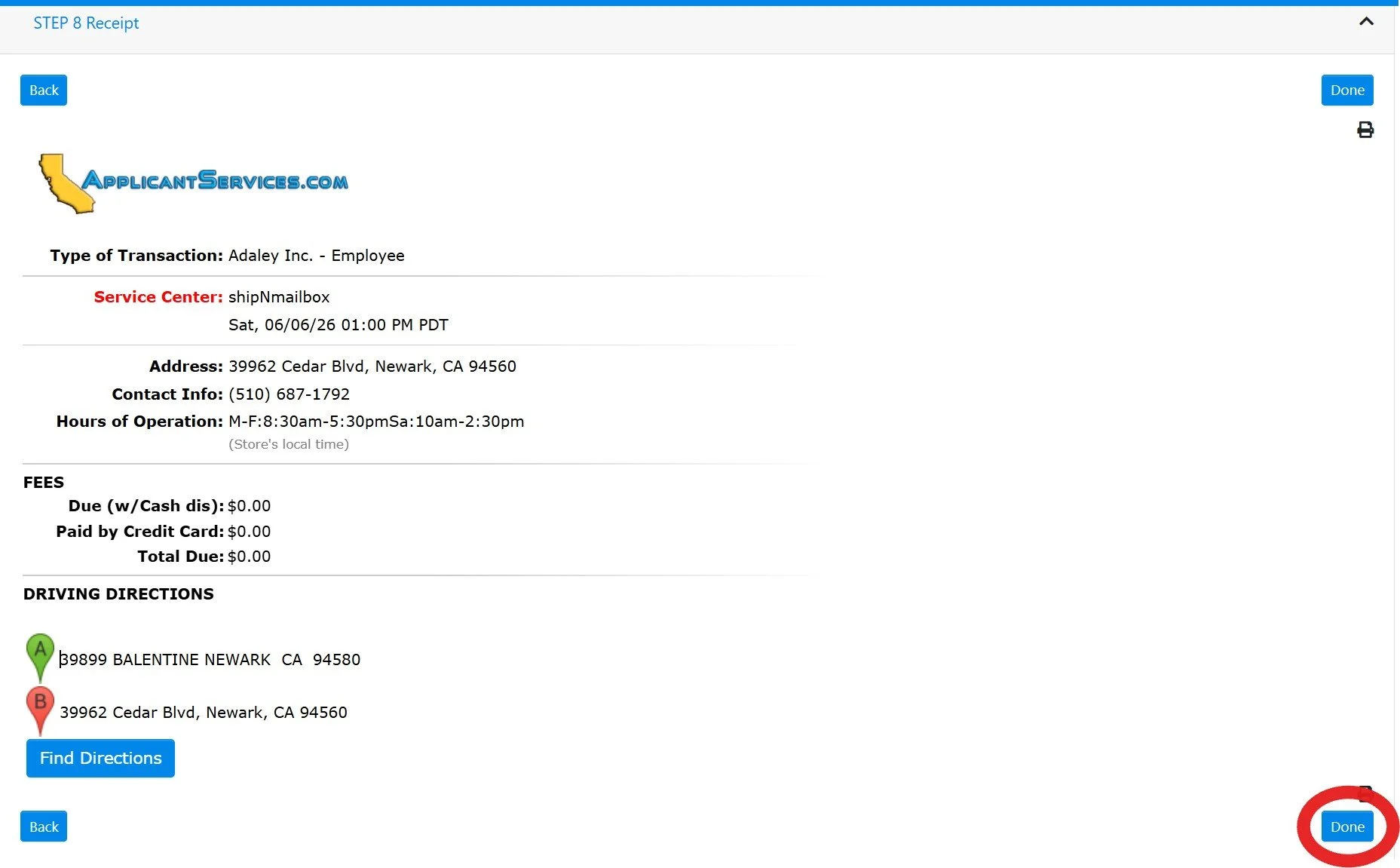
Step 11: Review your receipt and click the blue “done” button at the bottom (red circle)
*Note: No payment should be due to you, Adaley pays for LiveScan screening costs